Plan client visits with addresses, visiting days and the map
A client may work at several locations on different days. Bring their addresses, visiting hours and appointment history together to prepare your next visit.
Read the article
Practical ways to use ISF Agenda: prepare visits, keep useful notes and plan the next contact with each client.
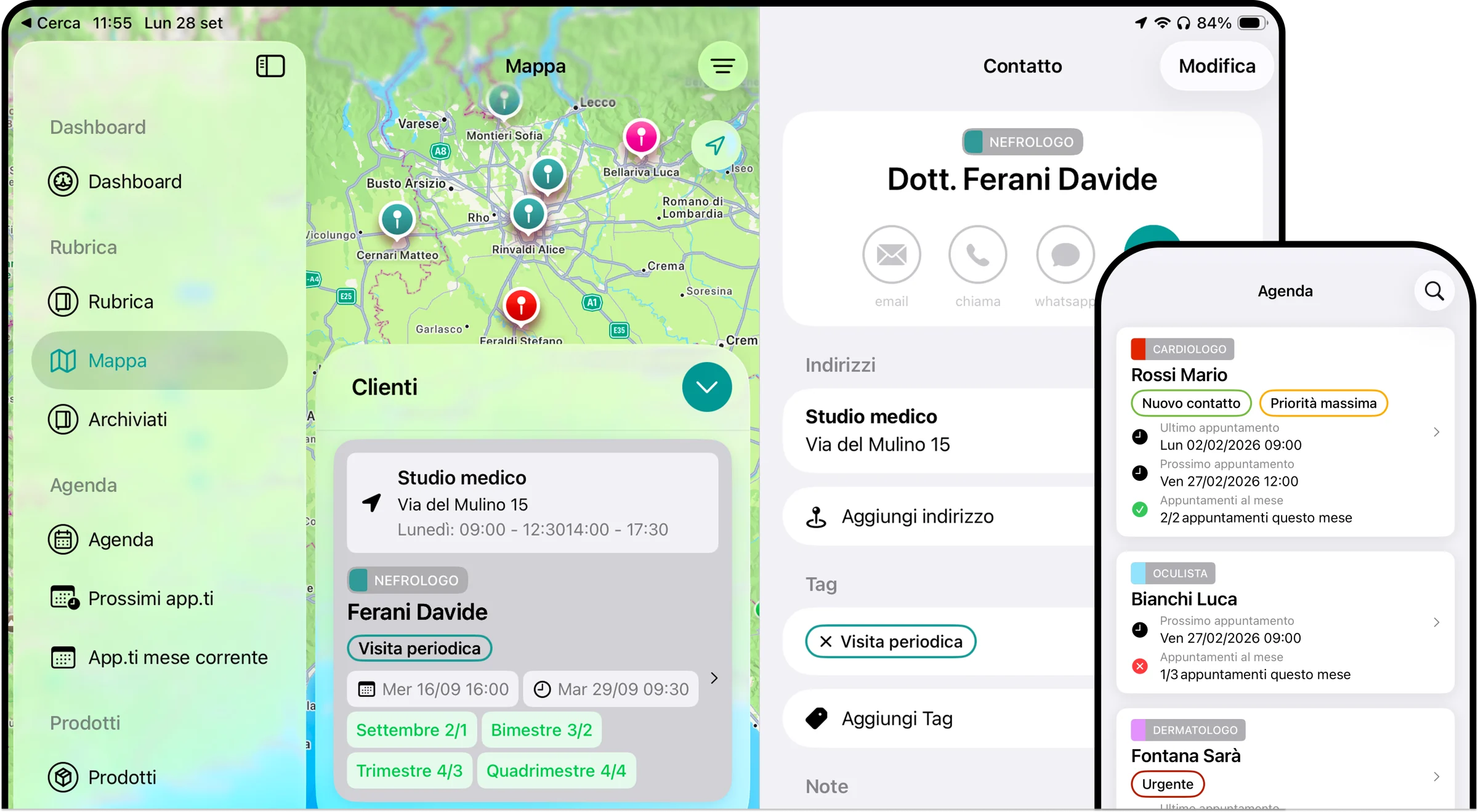
A client may work at several locations on different days. Bring their addresses, visiting hours and appointment history together to prepare your next visit.
Read the articleWhen a visit ends, the details still matter. Notes, products and promotional items linked to the appointment help you prepare for the next conversation.
Read the articleEach client may need a different contact schedule. Frequency goals compare your planned number of appointments with the entries recorded for the current period.
Read the articleTags help you recognize shared needs and next steps across your client list, alongside each client’s medical specialty.
Read the articleStart with a practical question, then narrow your client list by location, visiting day, specialty and unmet goals.
Read the articleThe catalog holds product information. The client’s appointment history shows when you discussed each product and what you wanted to follow up on.
Read the articleAn overview of appointments and contact frequency helps you decide where to start, then return to the details of each client relationship.
Read the articleMedical specialties give your client list a clear structure. Locations, notes and appointment history help you prepare for each individual client.
Read the articleThe conversation continues between visits. Recording calls, emails and other contacts helps you remember what happened before the next meeting.
Read the articleChoose how many days after the last appointment you want a reminder, then use the client’s history to prepare your next contact.
Read the articleYour existing contact list can become the starting point for client profiles, visit planning and a useful history of each relationship.
Read the articleKeep client visits and your other commitments visible in the same calendar for a clearer view of the week ahead.
Read the articleAn alert brings an upcoming appointment back to your attention, so you can review the notes and materials you need for the meeting.
Read the articleWhen a client leaves your territory, move their profile to the archive and keep your active list focused on the people you currently manage.
Read the articleA note about an item you left during a visit can help you remember the conversation and follow up at the next meeting.
Read the articleBring the work you have already recorded into the current app, then check your client profiles and appointment history before continuing.
Read the article